How Long Do Instagram Stories Last (and Where They Go After)
By Shyview · · 6 min read
In this article9 sections
- What happens to a story, and when
- Where does a story go after 24 hours?
- Can anyone see your story after 24 hours?
- Can you see someone else's story after 24 hours?
- Can a story stay up longer than 24 hours?
- Deleted a story by mistake?
- How long can one story clip be?
- Our test: what a story's clock looks like from outside
- FAQ
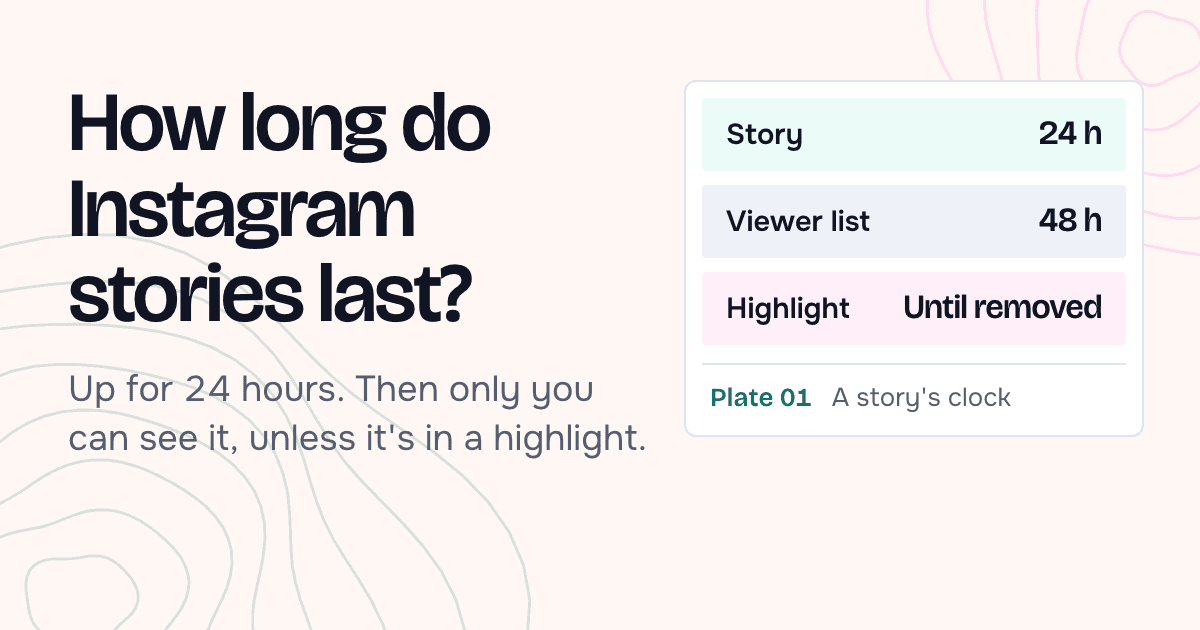
Instagram stories last 24 hours from the moment you post them. After that, Instagram's Help Center says they "disappear from Feed, your profile and Direct after 24 hours, unless you add it as a highlight."
Disappearing isn't the same as deleted. An expired story moves to your Stories Archive. Only you can see it there. A story you add to a highlight stays on your profile until you remove it. And the list of who watched lasts longer than the story: 48 hours.
We checked every Instagram quote here against its page on October 9, 2026.
What happens to a story, and when
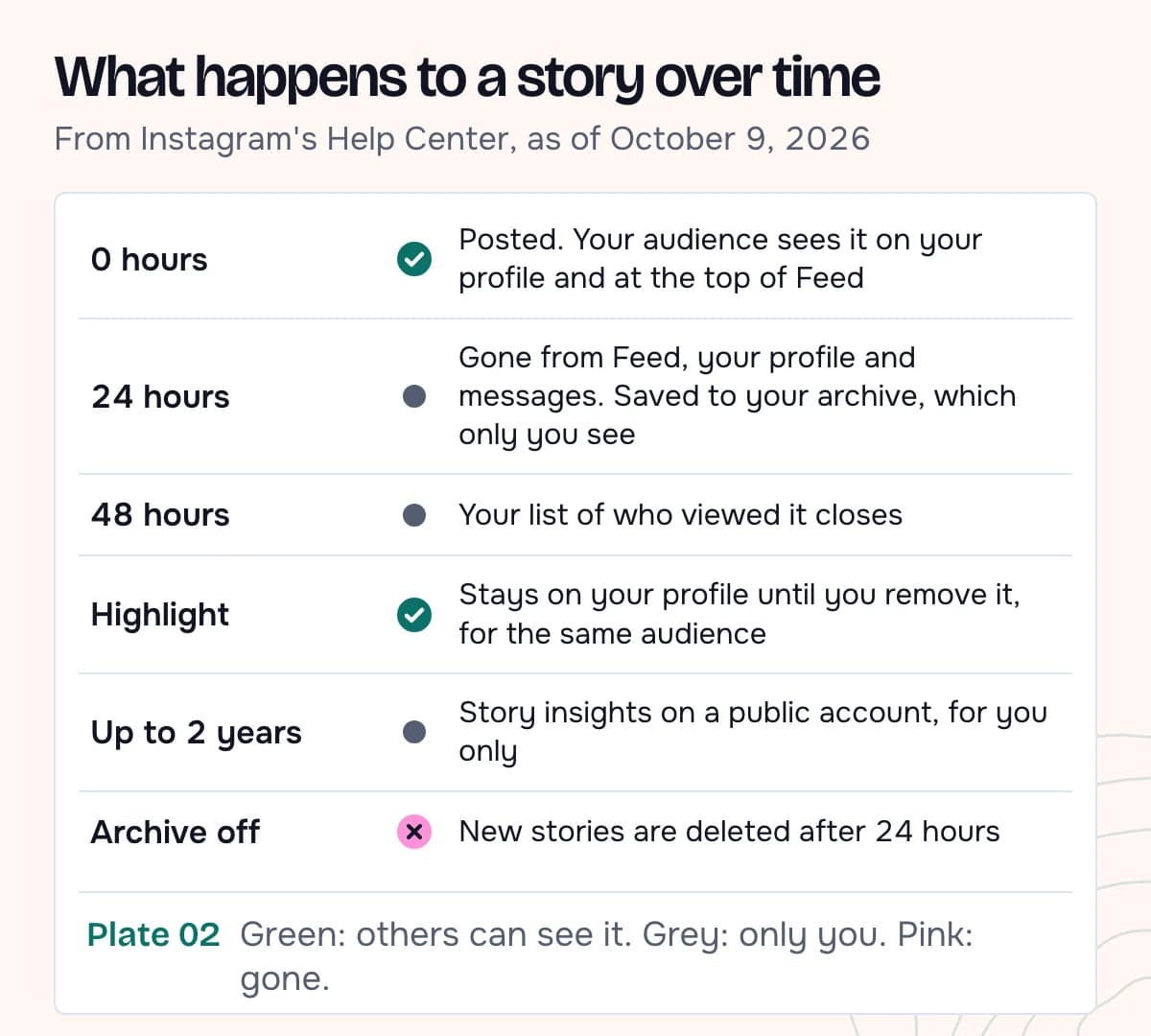
| When | What happens | Who can see it |
|---|---|---|
| 0 hours | You post the story | Your audience, from the ring on your profile and the row at the top of Feed |
| 24 hours | It leaves Feed, your profile and messages, and is saved to your Stories Archive | Only you, in your archive |
| 48 hours | Your list of who viewed it closes | Only you |
| Until you remove it | A copy in a highlight stays on your profile | The people allowed to see your story |
| Up to two years | Story insights stay available on a public account | Only you |
Zeely, Outfy and Metricool, three guides Google shows for this question, leave out the 48-hour viewer list. Instagram's page on who's seen your story says: "You can look at who's seen your story up to 48 hours after you post it." After the first day, you find that list through your archive.
Where does a story go after 24 hours?
Expired Instagram stories go to your Stories Archive, unless you switched it off. The archive page says: "Stories you create and share on Instagram are saved to your Stories Archive. You can turn off Stories Archive at any time in Settings." Instagram's 2026 Stories guide calls it "a private space only you can see." The archive page adds: "Stories Archive and Highlights aren't available for all accounts."
If the archive is off, there is nothing to go back to: "any stories you share from that point on will be deleted after 24 hours."
From the archive you can watch an old story, save it to your phone, or put it in a highlight. You can also archive a story early, "before the 24 hour period when the Story is automatically archived." One catch: some archived stories are changed to save storage. That "can mean muting music or freezing videos or gifs."
Can anyone see your story after 24 hours?
Only if you put it in a highlight or share it again from your archive. Instagram's highlights page says stories in highlights "remain visible as highlights until you remove them, even after the original story has disappeared." The audience doesn't change: "those you've allowed to see your story can also see your highlights."
Everything else is private to you. Archived stories "can’t be seen on Instagram unless you choose to share them." Close Friends stories follow the same clock; they "disappear after 24 hours."
Instagram's page on how long stories remain visible adds a line for public accounts: "Stories shared publicly, including those in your archive, will be used to improve AI at Meta unless you delete them from your archive or change your account to private."
Can you see someone else's story after 24 hours?
Not in Instagram. Their archive belongs to them, and archived stories stay hidden unless the owner shares them. The one place an old story stays public is a highlight on their profile.
On a public account, that's what our Instagram highlights viewer opens. It plays the collections pinned to the profile, item by item. For Instagram stories still inside their 24 hours, our story viewer shows what the account posted in the last day. Both work without your Instagram account. Neither can show an expired story that isn't in a highlight.
To keep a public story before its 24 hours run out, our story downloader saves it to your phone as a JPG or MP4.
Can a story stay up longer than 24 hours?
Yes, in two ways. A highlight keeps it on your profile with no end date. And Story Extend, part of the paid Instagram Plus subscription that Instagram introduced on June 4, 2026, keeps it up longer. The announcement says: "Set your story to last 48 hours so the people you care about have more time to see it." Its feature page calls it "an additional 24 hours before they disappear."
Fox Business, in a report on September 27, 2026, gave the price Meta quoted: "The subscription costs $3.99 a month in the U.S., with prices varying by country, Meta said."
Seeing a story still up after more than a day? Story Extend is the only cause we found in Instagram's own pages. Anything else would be a guess. Instagram's Help Center page on how long stories last still says 24 hours. It doesn't mention Story Extend.
Deleted a story by mistake?
You may get it back. Deleted content goes to Recently Deleted, where it is "automatically deleted 30 days later, or up to 24 hours for stories that aren’t in your stories archive." Until then it "is not accessible to other people using Instagram."
Deleting works the other way too. If you delete a story from your archive, it "will also be removed from other places you've shared it on Instagram (example: highlights)."
How long can one story clip be?
That's the other meaning of "how long". Instagram's July 2, 2026 Stories guide says: "A single story clip can be up to 60 seconds long. If your video is longer, Instagram automatically splits it into multiple back-to-back story clips so the full thing plays through." It also says "There's no daily limit" on how many you post.
None of the Help Center pages we captured gives a clip length; the 60 seconds comes from that guide. When Stories launched in August 2016, TechCrunch described "10-second-max photos and videos". Metricool's guide says each photo shows for 7 seconds. Outfy's says Instagram allows up to 100 stories in 24 hours. We found no Instagram page saying either.
Our test: what a story's clock looks like from outside
On October 9, 2026 we opened two public brand accounts in our viewers, without an Instagram login, and noted the time each item they showed went up.
| Check | Result |
|---|---|
| @natgeo stories in our story viewer | 3, aged 10h, 11h and 13h. None older than a day |
| @nike current story | 1, posted October 8, 2026 |
| @nike highlight "Just Do It" | 48 items, posted September 3 to 19, 2025, still public |
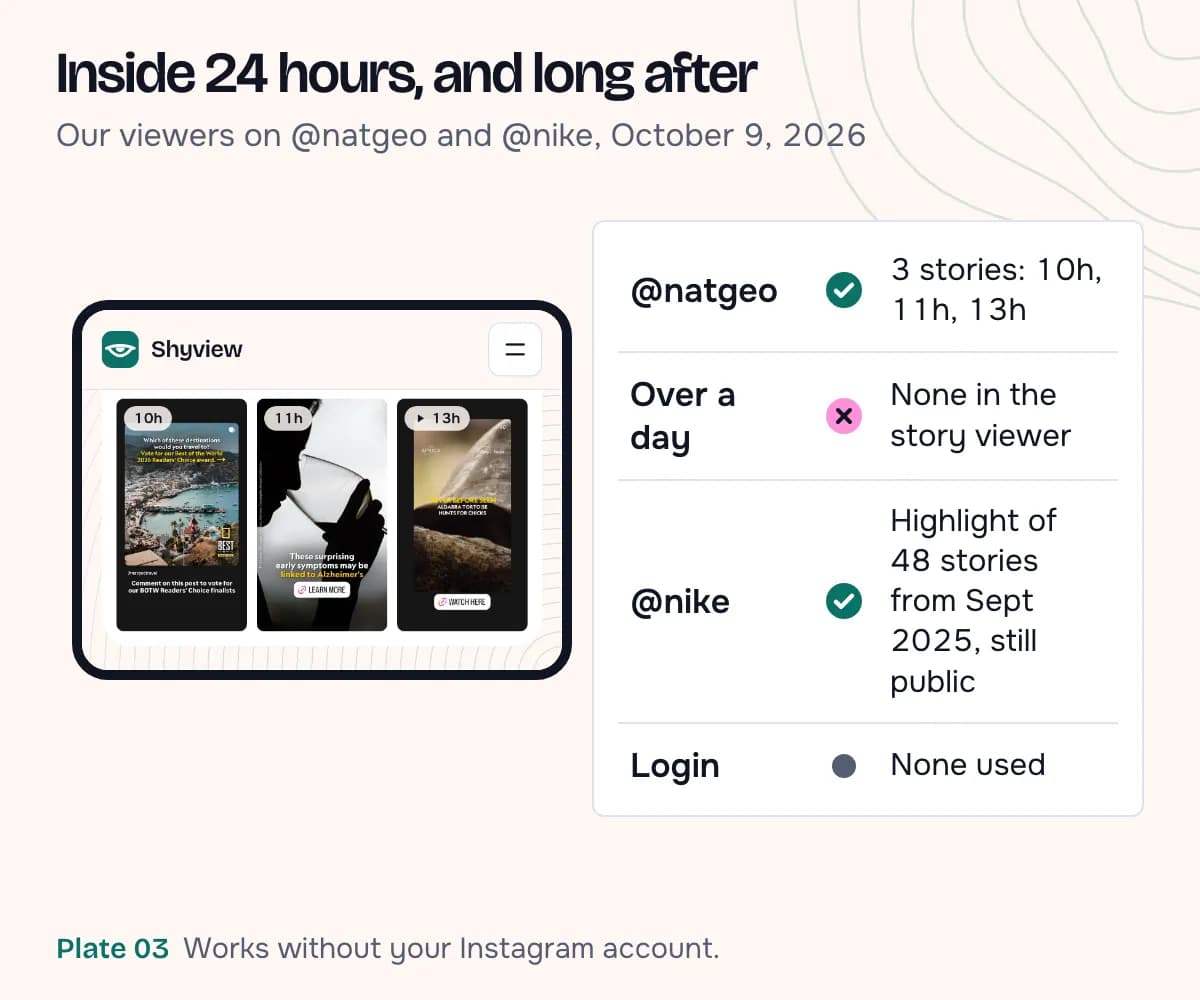
The Nike highlight is what "unless you add it as a highlight" looks like from outside. Those stories left Feed more than a year ago. They are still on the profile because the account added them to a highlight.
Both open questions sit on the poster's side: when the archive copy appears, and whether Story Extend keeps the viewer list open past 48 hours. Answering them takes an account that posts a story, and these tests use none.
FAQ
Do Instagram stories disappear exactly 24 hours after posting?
Instagram says stories "last for 24 hours from the moment you post them." No page we read gives it to the minute.
Can I see who viewed my story after 24 hours?
Yes, for one more day. The list stays up to 48 hours after you post. Go to your profile, open the menu, tap Archive and swipe up on the story.
Can someone see that I watched their story after it's gone?
Yes, for a while. The owner can see who viewed it "up to 48 hours after you post it", a day after the story itself disappears. Our story viewer works without your Instagram account, so your name can't be added to their list.
Do Close Friends stories last longer?
No. Instagram says "Stories shared with close friends disappear after 24 hours."
Can someone see my story after I delete it?
No. Deleted content "is not accessible to other people using Instagram," and a story deleted from your archive also leaves your highlights.