How to Know If Someone Blocked You on Instagram
By Shyview · · 6 min read
In this article7 sections
Instagram won't tell you. Its Help Center is direct about it: "People aren't notified when you block them." What you get instead are side effects. Their profile stops opening for you, search doesn't find them, and your messages stop reaching them.
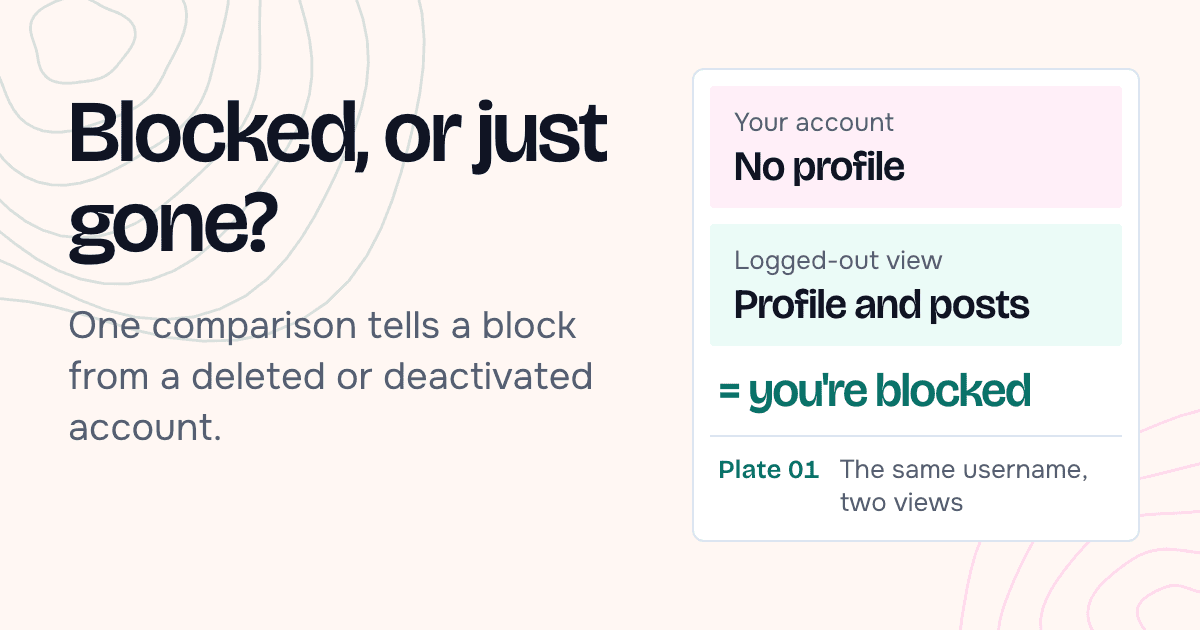
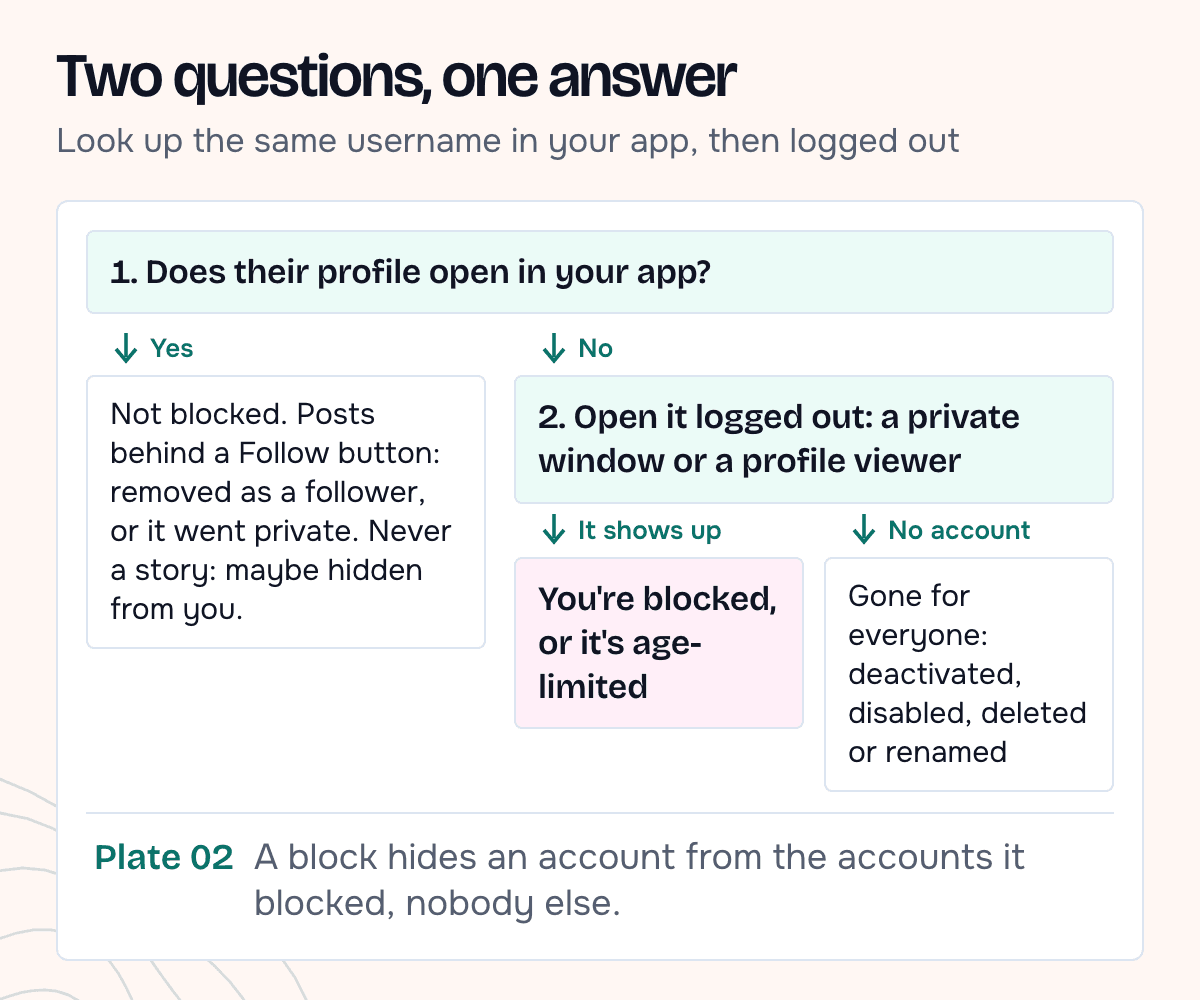
The trouble is that a deleted, deactivated or renamed account produces the same side effects. To tell them apart, look at the profile without your account. A block only hides someone from the accounts they blocked. If the profile still shows up for a logged-out visitor, the account exists, and it's hidden from you.
What a block hides from you
Instagram's own guide to its safety tools describes the blocked side in one line: "When you block someone, they can no longer search for your profile, view your content, or send you messages."
In the app, that usually looks like this:
- Search. Their username doesn't come up, or the profile won't open.
- Profile. If you reach it through an old link or a tag, you don't see their posts.
- Messages. The old chat may still sit in your inbox. Instagram's pages differ on whether you can still type into it, but its help page on what happens when you block someone is clear that a blocked person's messages aren't received, and "won't be delivered later" if they unblock you. A message that looks sent proves nothing.
- Likes and comments. Your likes and comments on their posts are removed, and "unblocking someone won't restore" them.
- Tags. You can no longer tag or mention them.
None of these is proof on its own. Each one also happens when the account is gone, and the tag one also happens when you're restricted.
Blocked, deactivated or deleted?
Instagram's help pages describe the other cases:
- Deactivated. "Your photos, comments and likes will be hidden until you reactivate it by logging back in." Hidden from everyone, and it can come back.
- Disabled by Instagram. Instagram can disable an account, for example one that breaks its rules, and says a disabled account "will no longer be visible to others".
- Deleted. Gone for good. The owner can make a new account, but "may not be able to get the same username".
- Renamed. The old username leads nowhere, and the person is still there under a new one.
From your account, all four can look the same as a block. Of these, a block is the only one that hides the account from you alone. A private account behaves differently again. Its name, photo, bio and follower counts stay "public to everyone, on or off Instagram, even if they don't have an Instagram account". So open the same username somewhere that isn't logged in to your account and compare.
| Your account sees | A logged-out view shows | What it most likely means |
|---|---|---|
| No profile, not in search | The full public profile with posts | You're blocked |
| No profile, not in search | "Private account" | You're blocked, or the account limits who can see it (for example by age) |
| No profile, not in search | No account by that name | Deactivated, disabled, deleted or renamed |
| Their profile, marked private, with a Follow button | "Private account" | You were removed as a follower, or they made the account private. That isn't a block |
The last row is the most common mix-up. If you could see someone's posts last week and now see a private profile with a Follow button, they haven't blocked you. They either went private or removed you as a follower, which Instagram lists as an option for people who don't want to block.
How to check the profile without your account
A logged-out browser. Open a private window and go to instagram.com/username. Instagram's help page on who can see your profile on the web says that for a public account, "anyone will be able to see your profile and posts".
Instagram may ask you to log in before it shows much. In 2019 a Facebook spokesperson told Bustle that logged-out visitors "can only see a certain amount of posts on public profiles before being asked to log in".
An anonymous profile viewer. Type the username into our Instagram profile viewer. It works without your Instagram account, so a block on your account has no effect on it. It tells you when there's no account by that name, and when an account is private. If it says it couldn't tell whether the account is public, try again in a few minutes.
The posts viewer and the reels viewer take the same username and also work without an account. If its posts or reels load there but the profile won't open in your app, the account still exists and is public, and a block is the likely reason.
One caution for both: the result for a public profile can be a little behind. Our viewer keeps profile details for 10 minutes to 2 hours before fetching them again, so an account deactivated a few minutes ago may still appear. If the answer matters, check again later.
What our viewer showed
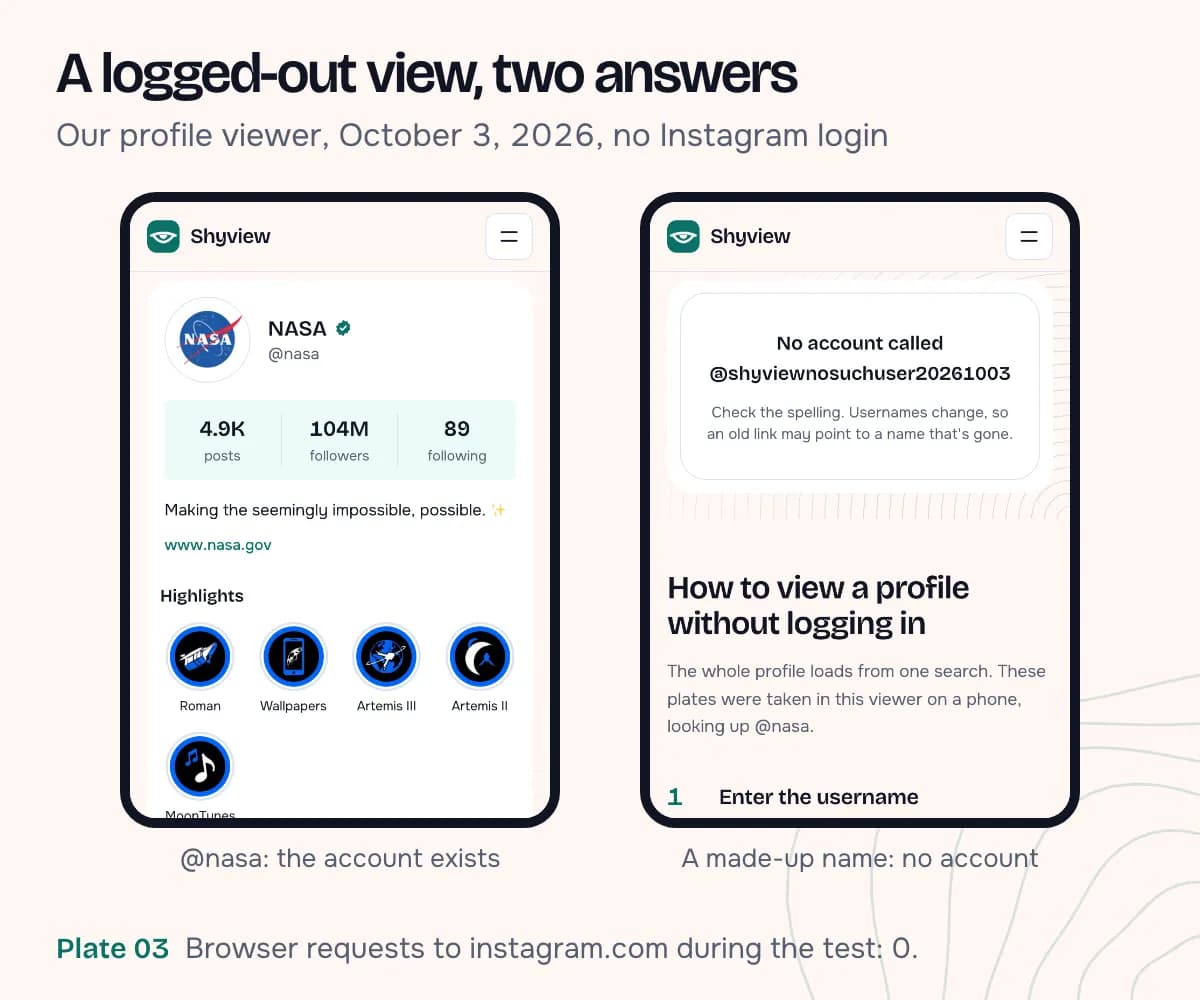
On October 3, 2026 we looked up two usernames in the profile viewer from a fresh browser with no Instagram session.
| Username | What the viewer showed | Requests from the browser to instagram.com |
|---|---|---|
| @nasa (public brand account) | Full profile: 4.9K posts, 104M followers, highlights, latest posts | 0 |
| A made-up username that never existed | "No account called" and the name | 0 |
Zero requests means your Instagram login never comes into it, so a block on your account can't either.
What we didn't test: the blocked side itself. That needs two Instagram accounts, one blocking the other, and we didn't log in to Instagram for this post. We also didn't shoot a private account or the private-window route. The table follows from Instagram's own description: a block hides the account from the blocked account, and a logged-out view isn't that account.
Restricted, muted or hidden from
Three other tools change what the other person sees of you, and you'll notice very little.
Restrict. Instagram calls it a way to act "without alerting them". If someone restricts you, your new comments on their posts are visible only to you until they approve them, and they can read your messages without you seeing that they've read them. You can still see their profile and posts.
Mute. Instagram's guide describes muting as a way to "hide someone's posts, stories, or messages while still following the account". Nothing changes on your side.
Hidden story. If their profile and posts open but you never see a story, they may have hidden their story from you. Instagram notes that hiding a story from someone "is different from blocking them, and doesn't prevent them from seeing your profile and posts".
If the profile opens normally for you, you aren't blocked. You might be restricted or muted, and there's no reliable way to tell.
If you're blocked
Let it be. A block is a clear boundary, and Instagram backs it up: when someone blocks you from the app, they can choose to also block other accounts you have or may create. A second account made to message them may run into that, and it tells the person their boundary was ignored.
What's fine:
- One look at the public profile to answer the question, without contacting them.
- Asking a mutual friend, if there's a real reason (a shared event, something you need back).
- Leaving it alone. Some blocks are lifted later. Your likes and comments won't come back, but you'll be able to find the profile again.
FAQ
Does Instagram tell you when someone blocks you?
No. The Help Center says people aren't notified when they're blocked.
If I'm blocked, can I still see their stories?
Not from your account. A block means they don't want you watching, so take it as an answer.
Does "No posts yet" mean I'm blocked?
Not by itself. People report seeing it on a blocked profile, but Instagram doesn't document that screen, and a new or empty account looks the same. Compare with a logged-out view: if posts show there, you're probably blocked.
Can I see who blocked me?
No. Instagram doesn't show anyone a list of who blocked them. You can only check one username at a time.