Does Instagram Notify When You Screenshot a Post?
By Shyview · · 6 min read
In this article8 sections
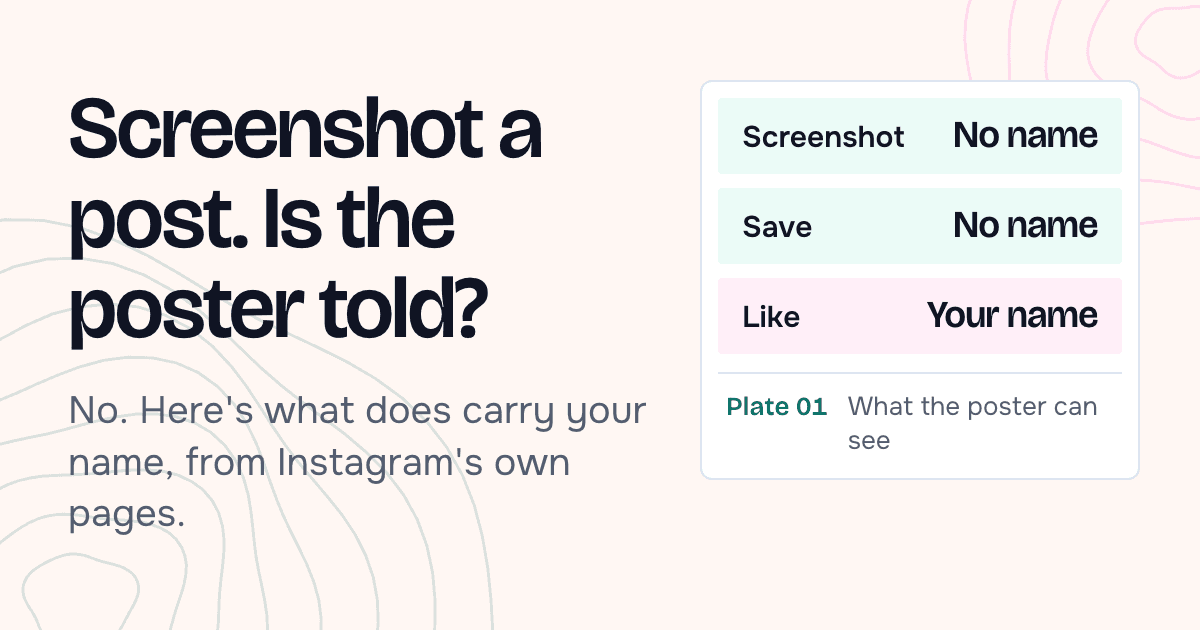
No. Instagram doesn't notify anyone when you screenshot a feed post, and that includes every slide of a carousel. None of the post statistics Instagram describes counts screenshots, and no Instagram page we read mentions an alert for them.
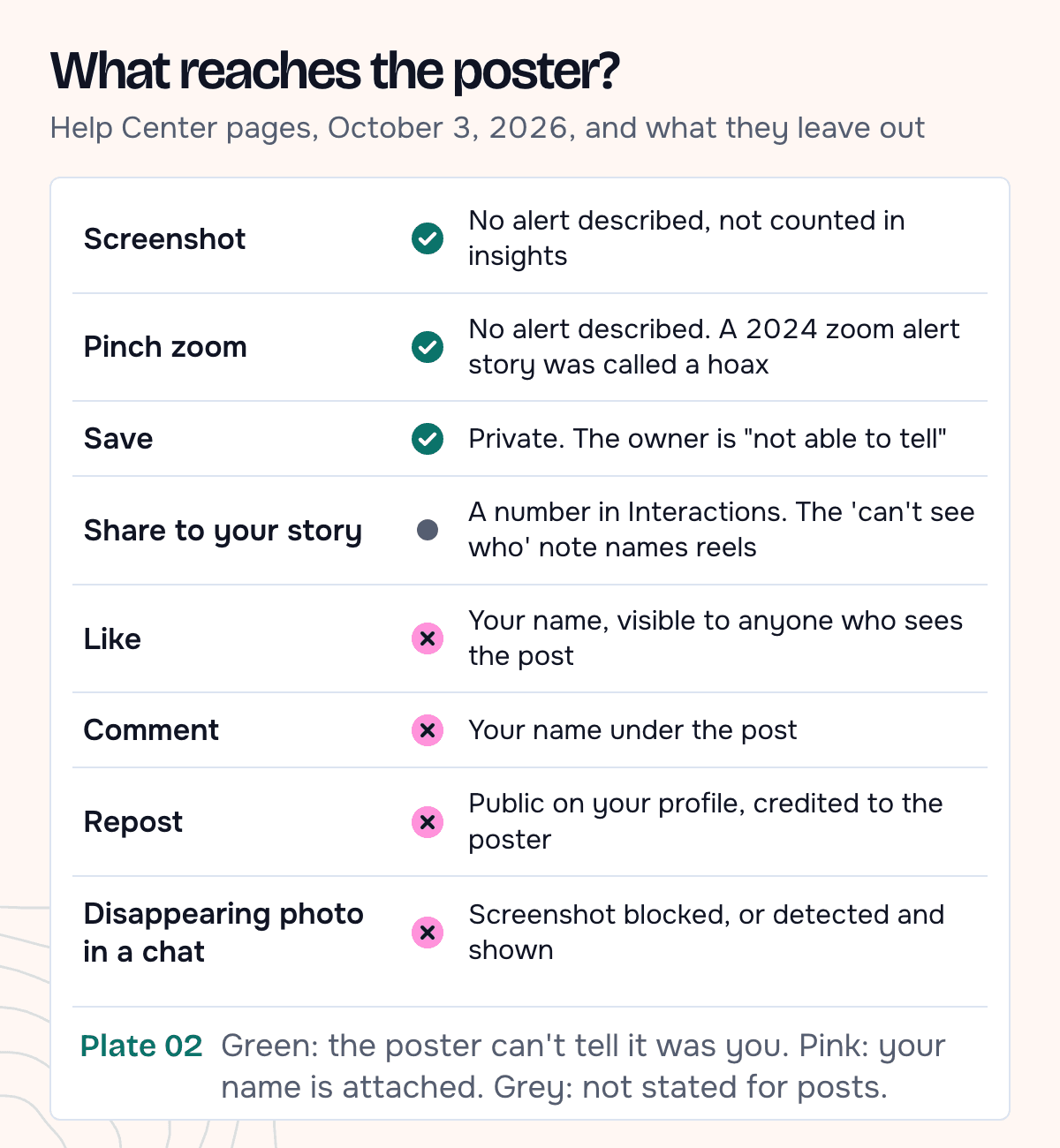
Your name is attached when you like, comment on or repost a post: a like and a comment sit under the post, and a repost shows on your profile. Saving a post and screenshotting it don't show who you are. The exceptions are in chats: disappearing photos and videos, and vanish mode.
We read Instagram's Help Center pages on insights, saving, likes, comments, sharing and chats on October 3, 2026. For posts, the answer rests on what those pages describe and leave out, and on the absence of any announced feature.
What does the poster see about their post?
On a public account, the poster can open View Insights under a post. Instagram's page on post insights lists three things there: Views, "Profile activity", and Interactions, described as "The number of actions people take when they engage with your content, such as likes, comments, saves and shares."
These are numbers, and the interactions list starts with "such as", so it may not be complete. None of the 12 pages on insights, saving, likes, sharing, reels and privacy that we captured mentions screenshots at all. Instagram doesn't say a screenshot is recorded anywhere; we infer that from what these pages leave out.
Here is what each action leaves with the poster:
- Likes. Instagram's page on who can see your likes says: "When you like a photo, it's visible to anyone who can see the post."
- Comments. Even a comment from a private profile on a public photo "will be visible and their username will be clickable below that photo", according to the page on comments from private profiles.
- Saves. The page on saving posts is direct: "Only you can see the posts you've saved. When you save someone's post, they're not able to tell that you've saved it."
- Shares to a story. Shares count in Interactions. For reels, the resharing page adds that owners "won't be able to see who has reshared your reel or where they have shared it to". For photo posts it says nothing either way.
Does swiping or zooming on a carousel tell anyone?
No. A carousel is one post with several slides. Swiping between them is part of viewing it, and no captured page describes any signal for it. Screenshotting slide three is the same as screenshotting slide one.
Zooming came up once. On September 13, 2024, a social media newsletter noted that some users in New Zealand had "spotted a new Instagram notification when people pinch and zoom on their photos", then added an update: "Adam Mosseri is saying this was a hoax".
That's the newsletter's paraphrase, and we didn't find Mosseri's own words. The note says "photos" without saying whether it meant posts or stories. No Instagram page we read describes a zoom or screenshot alert for posts.
Screenshot, Instagram's Save, or the file itself
| Method | Poster notified? | What you get |
|---|---|---|
| Screenshot | No | The screen at your phone's resolution, with the app around the photo |
| Instagram's Save button | No | A bookmark inside the app that only you can see |
| Downloading a reel in the app | Not described | The video with an Instagram watermark and the username, if the owner allows downloads |
| Saving the original file | No | The photo or video itself, one file per carousel slide |
Reels have an official download option. Instagram's page on reel downloads says that on public accounts "Anyone on Instagram can download your reels and share your reels, unless you change your reels download settings", and that downloads "will include an Instagram watermark, your username and audio attribution". TechCrunch reported the worldwide rollout in November 2023, after the US in June.
Instagram offers no download for other people's photo posts that we could find. Its photo saving setting keeps only your own: "every photo you post on Instagram will also be saved to your phone's library".
To keep the files of a public post, open the account in our Instagram posts viewer and save each slide, for posts among the account's 36 most recent. It works without your Instagram account, so nothing you do there is tied to your name on Instagram.
Our test: saving a carousel slide by slide
On October 3, 2026 we opened @nasa in the posts viewer from a phone-sized browser with no Instagram session, opened the first carousel and pressed Save on each of its four slides. The owner's side of an in-app screenshot needs two Instagram accounts, and this test used none.
| Check | Result |
|---|---|
| Posts in the grid | 12, the newest |
| The carousel | 4 slides, shown with 120K likes and 962 comments |
| Requests from the browser | All to our site. None to instagram.com or Instagram's media servers. Our server fetched the photos from Instagram's media servers and passed them on |
| Saved files | 4 JPG photos: 1080 × 1350 for the first slide, 1080 × 720 for the other three |
| A screenshot of the same screen (our viewer, 390 px browser at 2×) | 780 × 1688 in all; the photo inside it 748 px wide, with buttons and caption around it |
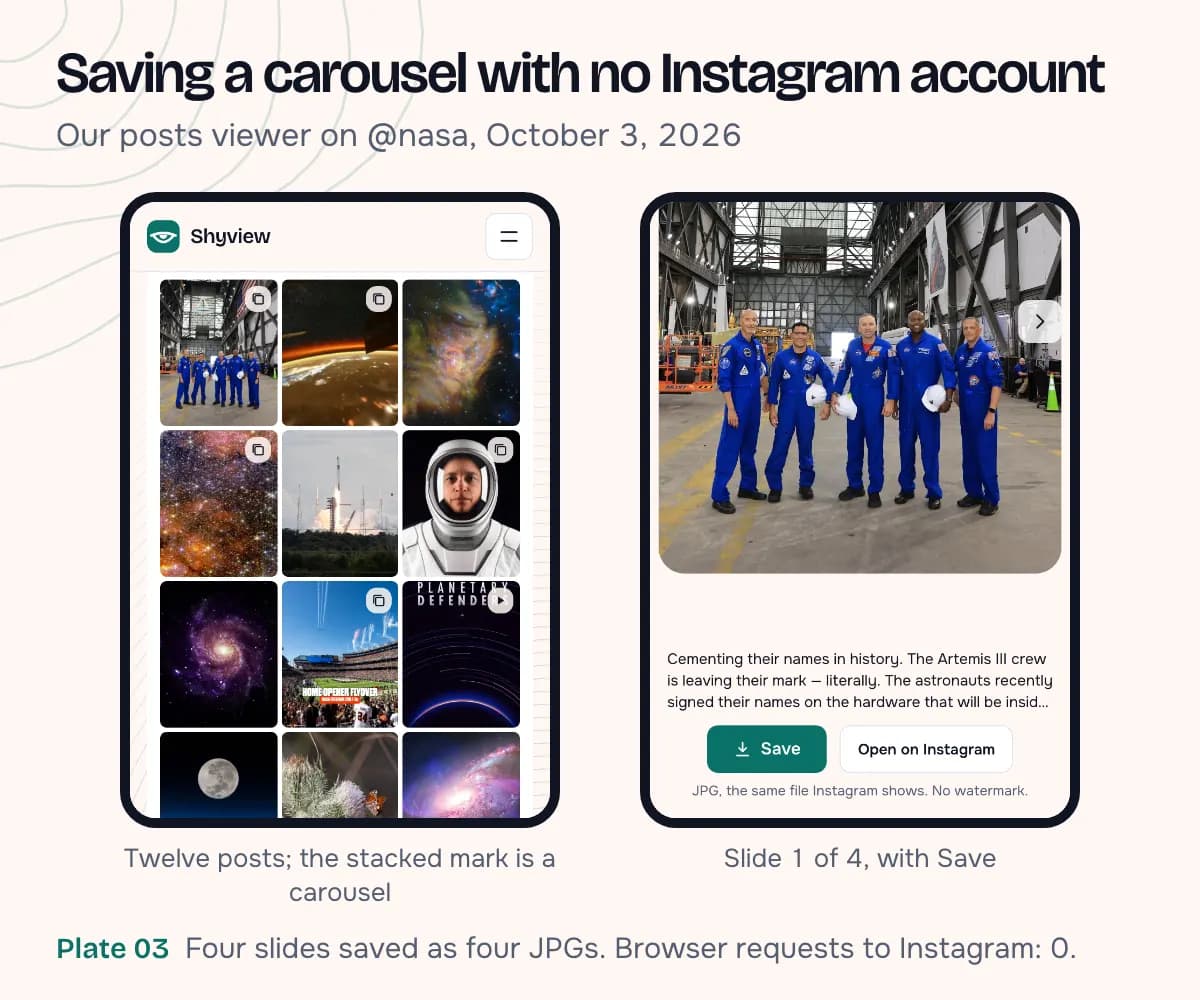
The saved slides keep their own shapes and the full 1080 px width, as four separate files. In the screenshot, the same first slide is 748 px wide, with the viewer's buttons around it.
What about posts sent in DMs?
A post someone sends you in a regular chat behaves like the post itself. Instagram's page on disappearing photos says posts from feed and other ordinary messages "don't disappear and will remain visible in the conversation", and no page describes a screenshot alert for them.
Disappearing photos and videos are different. One Help Center page says "Taking a screenshot is now disabled" for them; the other says the sender can see "if we detect someone took a screenshot". Either way, don't count on a silent screenshot. In vanish mode: "You'll receive a notification if we detect they take a screenshot."
Can you repost a post you saved?
Instagram has its own way to do it. Meta announced reposts on August 6, 2025, and says "Reposts are credited to the original poster." A repost also lands in a Reposts tab on your profile, so it's public by design.
Posting a saved file as your own is another matter. The Terms of Use say you "can't post someone else's private or confidential information without permission or do anything that violates someone else's rights, including intellectual property rights". The copyright page says the best way to stay within copyright law "is to only post content that you've created yourself".
- Keeping a slide for yourself (a recipe, a chart, a floor plan) is the ordinary use.
- Sharing it works best with the Repost or Share button, which keeps the credit.
- Uploading it as your own post needs the owner's permission.
If you're the one posting
You can't see who screenshotted or saved your post. Instagram shows owners no screenshot record, so there's nothing for an app to read.
You can limit what others do with a post in your settings:
- Reposts on posts and reels, under Sharing and reuse, to allow or block reposts of your content.
- Posts and reels to stories, also under Sharing and reuse, to stop resharing to stories.
- Allow people to download your reels, when you share a reel or later in your privacy settings.
- A private account, which keeps your posts to approved followers.
To check what a stranger can see, look up your own handle in our profile viewer. None of these settings stops a screenshot.
FAQ
Does Instagram notify when you screenshot a reel?
No alert is described for reels either, and Instagram's pages don't mention screen recording for posts or reels. Public reels can be downloaded in the app with a watermark, unless the owner turns that off. They also open in a reels viewer without an account.
Can someone see that I saved their post?
No. Instagram says the owner is "not able to tell that you've saved it". They see a total in Interactions with no names.
Can I see who screenshotted my Instagram post?
No. Post insights show views, interactions and profile activity, and Instagram describes no screenshot count.
Does Instagram notify when you screenshot a DM?
Only for disappearing photos and videos, where it's blocked or detected, and in vanish mode. Instagram describes no alert for regular messages, including posts shared in a chat.
What about posts from a private account?
Instagram describes no screenshot alert for private posts either. The difference is only who can see them.