Does Instagram Notify When You Screenshot a Story?
By Shyview · · 6 min read
In this article8 sections
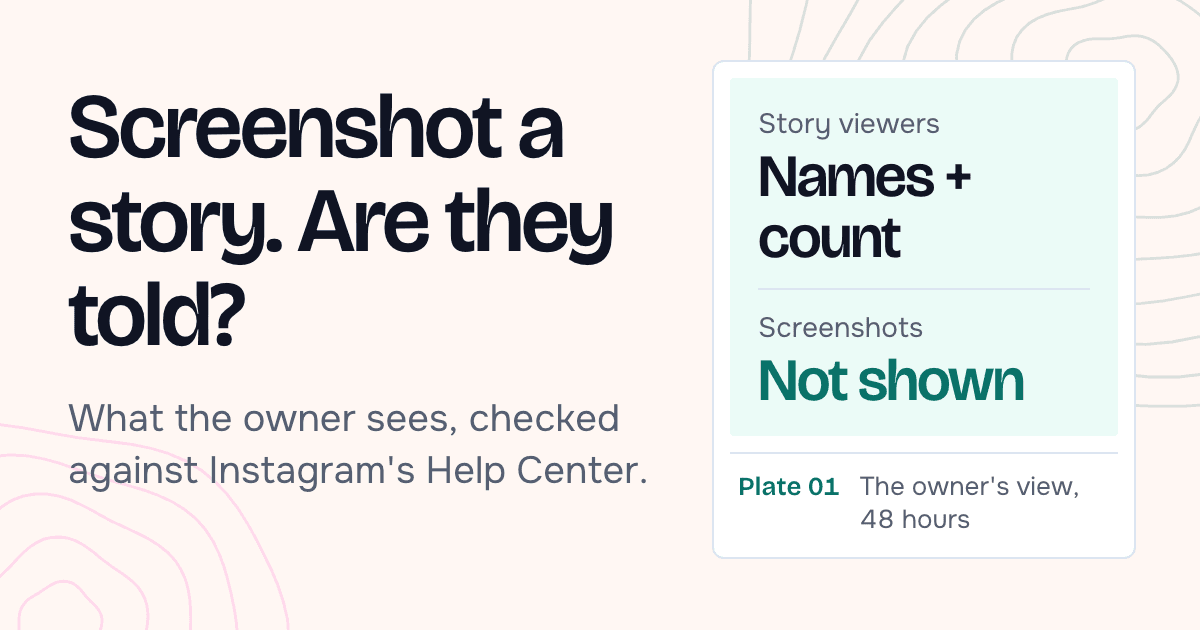
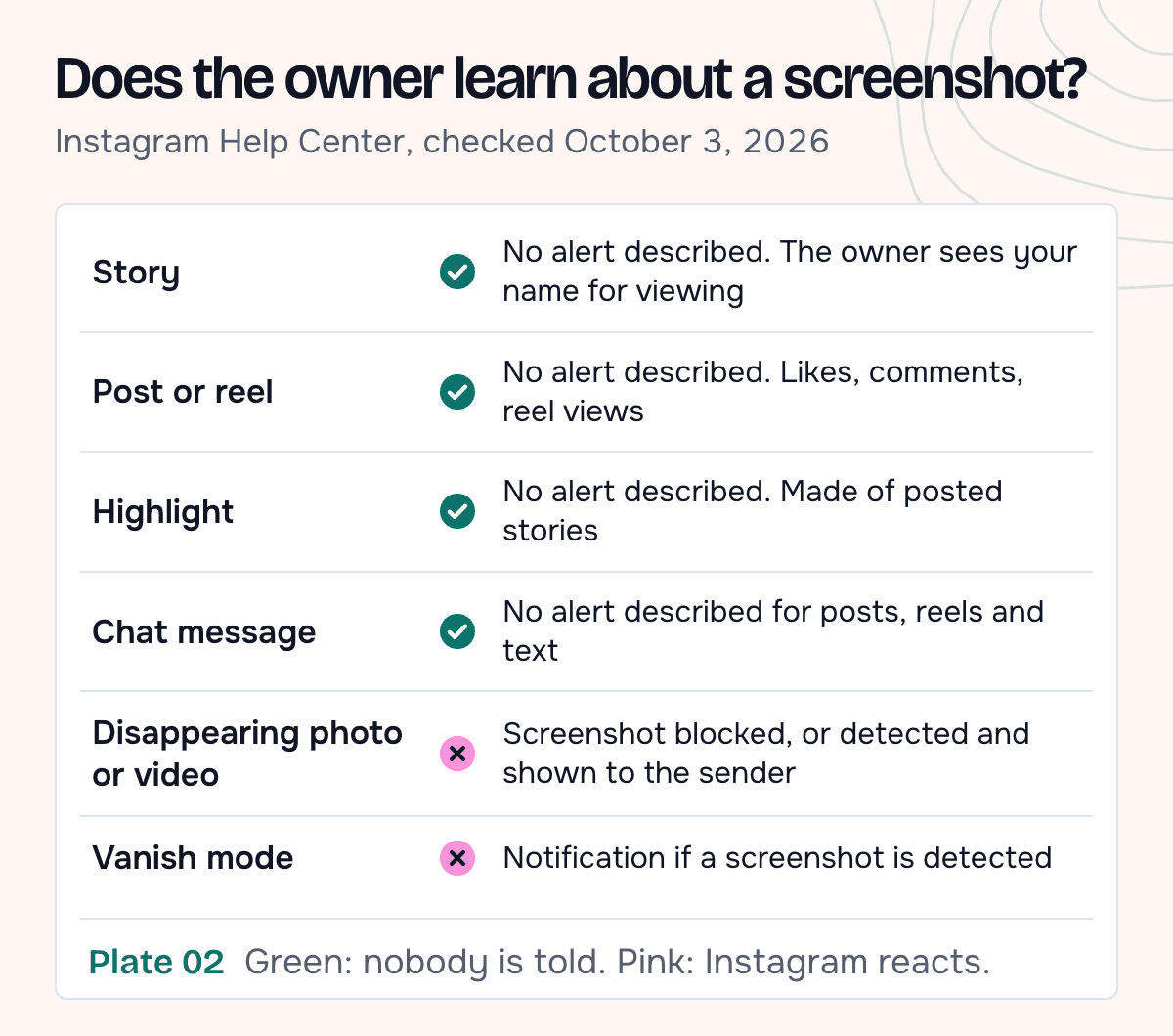
No. Instagram doesn't notify anyone when you screenshot or screen record their story. The same goes for posts, reels, highlights and profiles. What the owner can see is that you viewed the story: your username sits in their viewer list for up to 48 hours after they post it. What you do with the story afterwards doesn't show up there.
Screenshots do matter in two places, both in chats: disappearing photos and videos, and vanish mode. We read Instagram's Help Center pages on stories, disappearing photos and vanish mode on October 3, 2026. Where a claim rests on press reports, or on what those pages leave out, we say so.
What does the story owner see?
The owner opens the story and swipes up. Instagram's help page on who's seen your story says they get "the number and the Instagram usernames of the people who have viewed each photo or video in your story". That list stays available "up to 48 hours after you post it", from the story archive. Nobody else can open it.
The page mentions no screenshot or recording marker. The view count can be higher than the number of names, because replays count as views. The same page adds that Instagram Plus subscribers who preview a story don't appear in the list or the count.
So the view matters more than the screenshot. A story watched in an anonymous story viewer never puts your name in the list, and then the screenshot question doesn't come up.
Where Instagram does react to screenshots
Disappearing photos and videos in chats. These are photos and videos sent with the chat's camera button, taken there or picked from your gallery, with View once, View twice or Unlimited views selected.
Instagram's Help Center describes this case in two ways on two pages. One says "Taking a screenshot is now disabled" for a disappearing photo or video. The other, on sending them, says the sender can see "if they were seen or if we detect someone took a screenshot".
Read together, the screenshot is either blocked or reported to the sender. Neither page says anything about screen recording, so don't treat a recording as a safe way around it.
Vanish mode. Instagram's page on vanish mode warns that someone could "take a screenshot or screen recording of a message in vanish mode before it disappears", and adds: "You'll receive a notification if we detect they take a screenshot." It also says you can't copy, save or forward those messages.
Everything else in a chat. A post, reel or text someone sends you in a chat stays in the conversation. Instagram describes no screenshot alert for those messages.
Did Instagram ever notify for story screenshots?
Only in a test. In February 2018 Instagram tried it with some users: TechCrunch described a warning before the next screenshot and "a new camera shutter logo next to anyone who took a screenshot" in the viewer list. Instagram never announced it for everyone, and today's Help Center page on story viewers has no such logo.
The question still comes back. In early October 2026, one of Google's top results for it was an Instagram post from a personal account titled "Instagram has rolled out a new feature that will notify users…". We couldn't open its caption. Instagram's own pages, checked on October 3, show no screenshot alert for stories.
Screenshot vs screen recording vs saving the file
All three are invisible to the owner. They differ in what you end up with.
| Method | Owner notified? | What you get |
|---|---|---|
| Screenshot | No | One frame at screen resolution, with the app's interface on top |
| Screen recording | No | A video of your screen, with whatever else was on it |
| Saving the original file | No | The photo or video file itself, without the app's interface (videos keep their sound) |
A screenshot of a video story catches one frame. A screen recording catches the clip, but also the progress bar, your notifications and the status bar.
To keep the original file, open the story in a story downloader and save it. It works for public accounts, with no login, and you aren't added to the viewer list because no Instagram account of yours is involved.
Our test: saving a story with no Instagram login
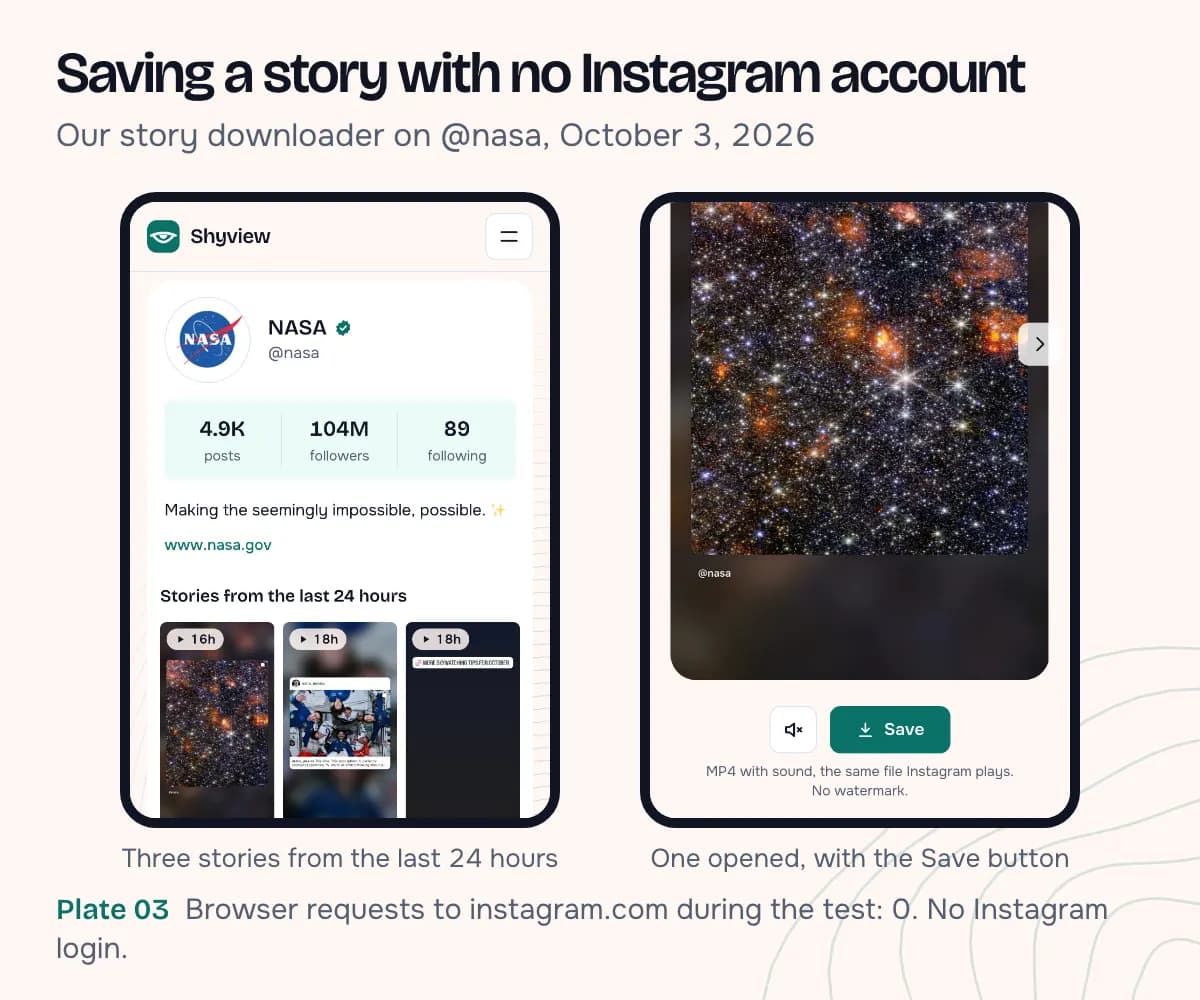
On October 3, 2026 we ran the downloader on a public brand account, @nasa, from a fresh browser on a phone-sized screen, then saved all three stories and checked the files.
| Check | Result |
|---|---|
| Stories found | 3, posted 16 to 18 hours earlier |
| Instagram login used | None, the browser had no Instagram session |
| Requests to Instagram from the browser | None to instagram.com. One to Instagram's media server for the video that played |
| Saved files | 3 MP4 videos, 720 × 1280, H.264 with an AAC sound track, 15 to 21 seconds each |
What we didn't test: whether a screenshot taken inside the Instagram app shows anything to the owner. That needs two Instagram accounts, and we didn't log in to Instagram for this post. We also can't see @nasa's viewer list, so "not on the list" follows from the fact that no Instagram account of ours was used. We didn't observe it.
Can you repost a story you saved?
Posting a saved story again is where Instagram's rules come in.
Its Terms of Use say you "can't post someone else's private or confidential information without permission or do anything that violates someone else's rights, including intellectual property rights". The Help Center page on copyright adds that the safest way to stay within the rules "is to only post content that you've created yourself". Downloading something, or recording it on your own device, doesn't make it yours to post.
In practice:
- Keeping it for yourself (a recipe, a timetable, a quote you liked) is the ordinary use.
- Reposting someone's story needs their permission. Ask first and credit them.
- A friend's story with personal details (their address, their kids, a private moment) stays private, even if you can save it.
What if you're the one posting?
You can't see who took a screenshot of your story, and no app can show you. Instagram shows owners no screenshot record for stories, so there's nothing for a third-party app to read. Be wary of apps that promise one, and never give one your Instagram password.
What you can do is decide who sees the story at all:
- Hide story and live from for specific accounts, in your settings.
- A private account, so your stories reach only the followers you approve. Instagram notes that your privacy setting also affects where your story appears.
Assume anything you post to a public story can be saved by anyone who views it, logged in or not. If something shouldn't be kept, a story isn't the place for it.
FAQ
Does Instagram notify when you screenshot a post or a reel?
No. The owner sees likes, comments and, on reels, view counts. Nothing records a screenshot. Posts and carousels in detail: does Instagram notify when you screenshot a post.
Does Instagram notify when you screenshot a highlight?
No. A highlight is made of stories the account already posted, and Instagram describes no screenshot alert for either. Public highlights can also be opened in a highlights viewer without an account.
I accidentally screenshotted a story. Will they know?
No. They can see that you viewed it, if they check the list within 48 hours of posting. The screenshot itself leaves no trace on their side.
Does Instagram notify when you screenshot a DM?
Not for regular messages. For disappearing photos and videos, the Help Center says the screenshot is disabled or detected and shown to the sender. In vanish mode, the sender gets a notification if Instagram detects a screenshot.
Can I see who screenshotted my story?
No. The viewer list shows names and a view count, and nothing about screenshots.