Instagram Posts Viewer
Scroll a public account's feed without an account, open any photo, video or carousel, and keep the files on your device.
Works with public accounts. Nothing to sign up for or install.

Latest posts
the newest first
How to browse a feed without logging in
Four steps from a username to a file on your device. The screenshots come from this viewer on a phone.
Step 1: Enter the account
Type the handle, with or without the @, or paste a link to the profile. A link to a single post won't load. Tap View.
Step 2: Scan the grid
The 12 newest posts load in three columns under the profile card. A stacked mark means a carousel, a play mark means a video. Show more adds the next 12.
Step 3: Swipe through a carousel
A carousel opens full screen on its first slide, with the caption under the photo and the like and comment counts beside the username at the top. The arrows move between slides, and Save keeps only the slide on screen.
Step 4: Play a video post and save it
Video posts play on mute until you tap the speaker button. Save downloads the clip as an MP4, and Open on Instagram goes to the original post.
What the posts viewer can and can't show
It can
- The 12 newest posts, and up to 36 with Show more
- Photos, videos and every slide of a carousel
- Like and comment counts and the opening lines of the caption
- Original files saved as JPG or MP4, one per slide
- A link to each post on Instagram
It can't
- Posts from private accounts, even ones you follow
- More than the 36 most recent posts of one account
- The comments themselves or who liked a post
- Tagged posts, saved collections or archived posts
- A post shared in the last few hours, until our copy refreshes
Questions people ask
Short answers about privacy, limits and saving files. The full FAQ covers every tool. Something not covered? Write to us.
Will the account owner know I opened their posts?
No. Instagram doesn't tell anyone who views their posts, and our server looks the account up without signing in, so no name reaches the owner. Screenshots and saves in the app don't show your name either: does Instagram notify when you screenshot a post.
Do I need an Instagram account or the app?
No. There's nothing to sign up for and nothing to connect. Type a username in the box and the results load on this page, in any browser.
Can I see a private account?
No. We only show content that an account has made public. If an account is private, you'll see a note saying so and nothing else.
How many posts can I see?
The newest 12 load first. Show more adds 12 at a time up to 36, and then a note says that's the limit.
Can I save every slide of a carousel?
Yes, one at a time. Swipe to the slide and tap Save. Each slide gets its own file, numbered in slide order.
Do videos save with sound?
Yes. Save downloads the MP4 file itself, so any sound in the post comes with it.
What will the saved file be called?
The username, the word post and the publish time, like nasa_post_2026-10-01T14-32-00.jpg. Videos end in .mp4.
Can I paste a link to a single post?
No. The search box takes a username or a profile link. Type the handle shown above the post, then find it in the grid.
Why is a post from today missing?
We keep each account's posts for about a day, so a new one can be missing until our copy refreshes. Try again tomorrow.
Can I read the comments?
No. You'll see how many there are. Open on Instagram takes you to the post to read them.
Why do I see “Slow down a little”?
Each IP address can make 60 requests to our servers in 10 minutes, and one search uses a few of them. The message says how long to wait. If you search a lot in a short time we may also ask for a quick check that you're a person.
Do you keep a record of what I looked at?
There's no account and no search history tied to you. We keep a copy of an account's public content under its username so the next search is fast, and our web server writes a standard log line per request, which we read only to fix errors and stop abuse and delete after 14 days. The privacy policy lists all of it.
More free viewers
Same search box, a different part of the profile.
 Story ViewerToday's stories from a public account, in full screen, with a Save button on each one.Open the Story Viewer
  Profile ViewerBio, link, follower counts and the profile picture at full size, with highlights and recent posts below.Open the Profile Viewer
  Highlights ViewerThe story collections pinned to a profile, played in order, long after the original stories expired.Open the Highlights Viewer
  Reels ViewerRecent reels with their play counts. Watch with sound or save the video as an MP4.Open the Reels Viewer
What you get from the posts viewer
- 01Your browserSends the username you typed. No login, no account of yours.
- 02Our serverAnswers from its copy if it has a recent one, or asks the provider.
- 03Data providerReceives the username only, never who asked for it.
- 04InstagramGets the provider's request. Your account and name are not in it.
Posts on a public account are meant for anyone to see. This page lays them out in a grid you can scroll and open on a phone or a computer, and nothing on it asks you to sign in.
When you tap View, our server asks a data provider for the public profile and its first 12 posts. Only the username goes into that request, and no Instagram account takes part on our side.
Each further page is a new request, so the grid stops at 36: the first 12 plus two more pages. Older posts stay on the account's Instagram page.
We keep a copy of an account's posts for about a day, and for one more day the copy can still be shown while a newer one loads. A post shared this morning may only appear on a later visit.
Save goes through our server too. It fetches the original photo or video and hands it to your browser as a download, named like nasa_post_2026-10-01T14-32-00.jpg. Slides from one carousel add _1, _2 and so on.
Opening a post needs no second search. The grid's answer already holds each post's caption, counts and slides, so a tap opens them at once. Only a video goes back to our server, which streams its file as it plays.
| Result | Kept for | |
|---|---|---|
| Stories | About 5 minutes | An older copy can be shown for up to 30 minutes while a fresh one loads. |
| Profile details | 10 minutes to 2 hours | Depends on the size of the account and how often it's searched. |
| Highlights | About 6 hours | The items inside a highlight are refreshed every 12 hours. |
| Posts and reels | About a day | Up to 36 recent posts per account, 12 at a time. |
Why people browse posts this way
Some everyday reasons to look through a feed from a browser page.
Checking a seller's past work
A cake maker or a tattoo artist keeps their best jobs on the feed. Scrolling back a few dozen posts shows whether the work is steady and the photos look like their own.
Saving a recipe carousel
Food accounts often post a recipe as a set of slides. Swipe to the ingredients and save that slide to check at the store.
Reviewing a portfolio
Photographers and designers use their grid as a portfolio. A client can look through it from a work laptop with no personal account signed in.
Getting your own files back
If you post on a public account, you can download the originals of your recent posts for a backup or a printed album.
Seeing a venue before you book
Restaurants and wedding venues post their rooms and table setups. The feed shows the place across many ordinary evenings.
Collecting examples for a project
Students and marketers study how an account writes captions or mixes video with photos. Browsing here keeps those visits out of your own recommendations.
From the blog
All articles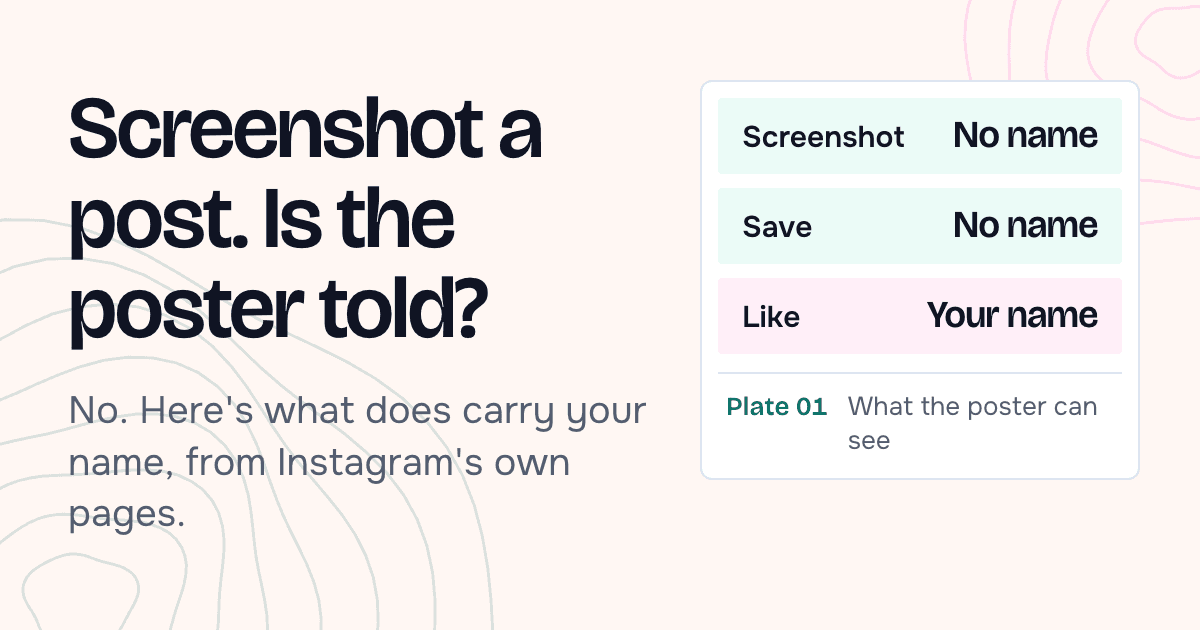
Open another feed
Enter a public username and its newest posts appear on this page.